SAP
Web Design, UX Research & Prototyping
Summary
Role
UX Designer
Tools
Figma
Duration
Feb - March 2025
Type
Project
Impact
Task Completion Time
75%
Reduced the time it takes IT technicians to find and check rooms by 75%
Error rate reduced
70%
Reduced missed meeting rooms that need to be checked by 70%
Clicks per task
40%
Reduced number of clicks from 12 to 7 when completing meeting room checks
Initial Observations
The checker tool lacks usability. Technicians navigate redundant steps and excessive clicks to access room information, struggle to locate rooms that need review, and face a broken filter that slows efficiency.
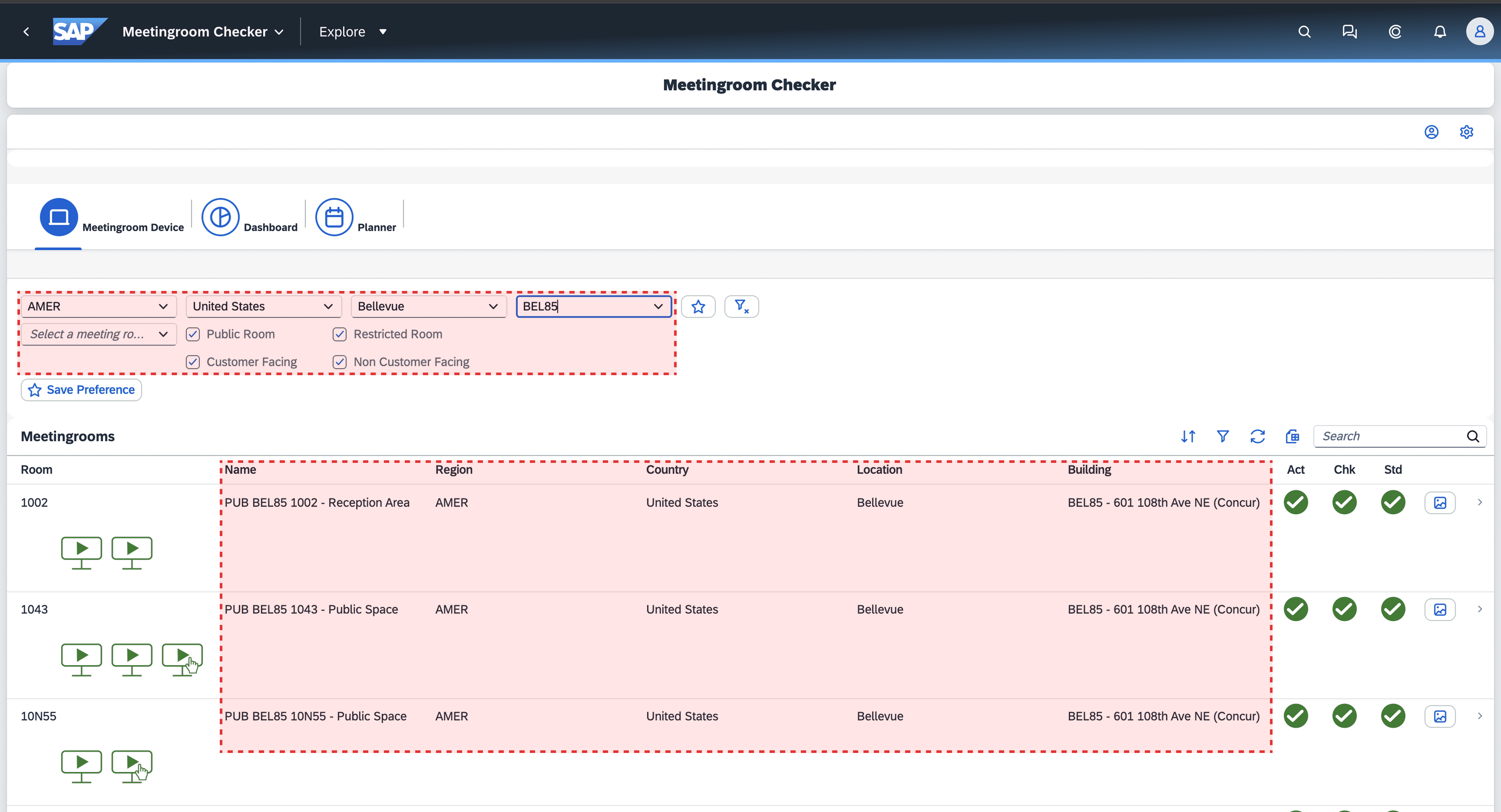
Redundancy
10 out of 10 users found much of the information within the highlighted columns to be redundant.
Users select for the building in the first highlighted area, the second area is just redundant information.
Repetitive clicks
9 out of 10 users experience friction from unnecessary clicks when accessing basic information.
Users must navigate multiple buttons to access information, slowing task completion.
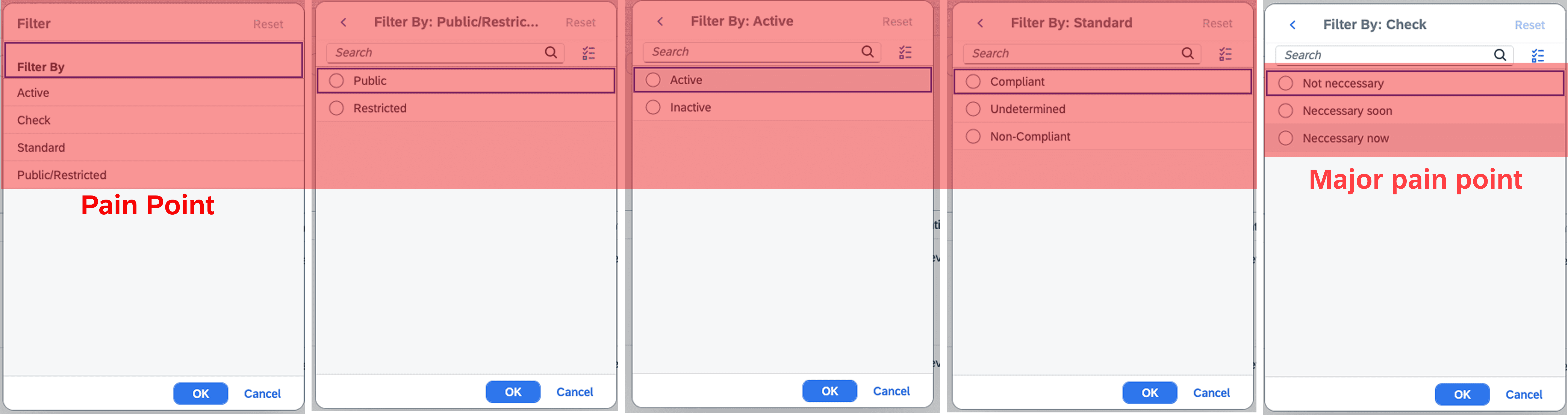
Low confidence in Filter
7 out of 10 users used the filter button and did not get the rooms needed to be checked.
Users will select specific options and rooms will not show up or are missing rooms.
Research
Through interviews and observation with users, I asked what process they take to "check" a room and observed what actions they take. This helped me understand and confirm what problems they run into.

Unnecessary information
The meeting room information that is provided is not useful for technicians to complete their tasks.

Relevant information is hidden
In order to check to see if the room was last checked or is going to breach is hidden behind numerous clicks.
Hard to find breaching rooms
Users cannot rely on the filter and must either check all rooms individually or keep their own notes.
The Challenge
How might we improve clarity and efficiency for users to complete their task management?
Design Decisions
I didn't want to change the wheel too much, instead I focused on simplifying the information being presented. I wanted to remove the unnecessary column information and replace it with information that the technician needs in order to successfully "check" the room.
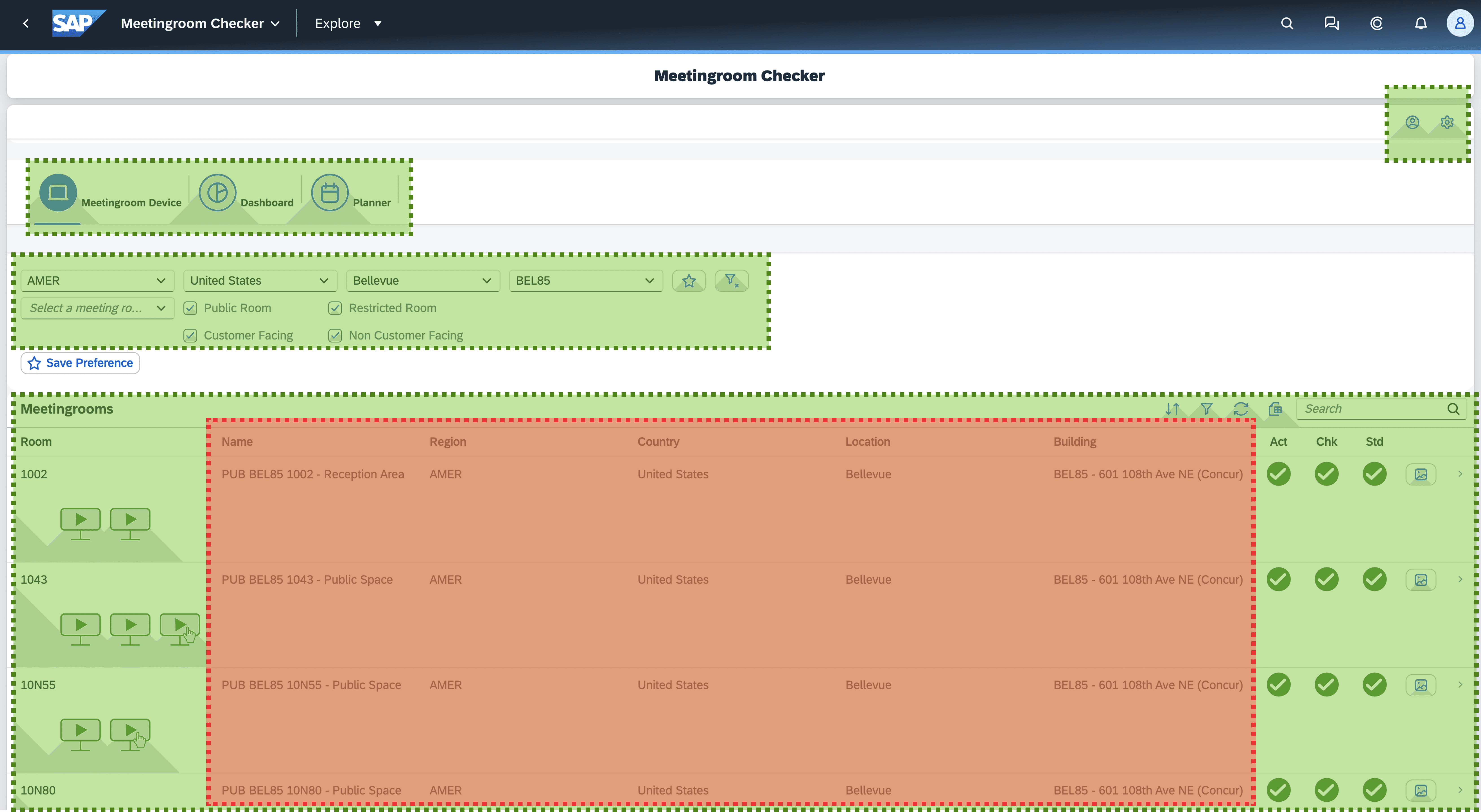
Card Sorting
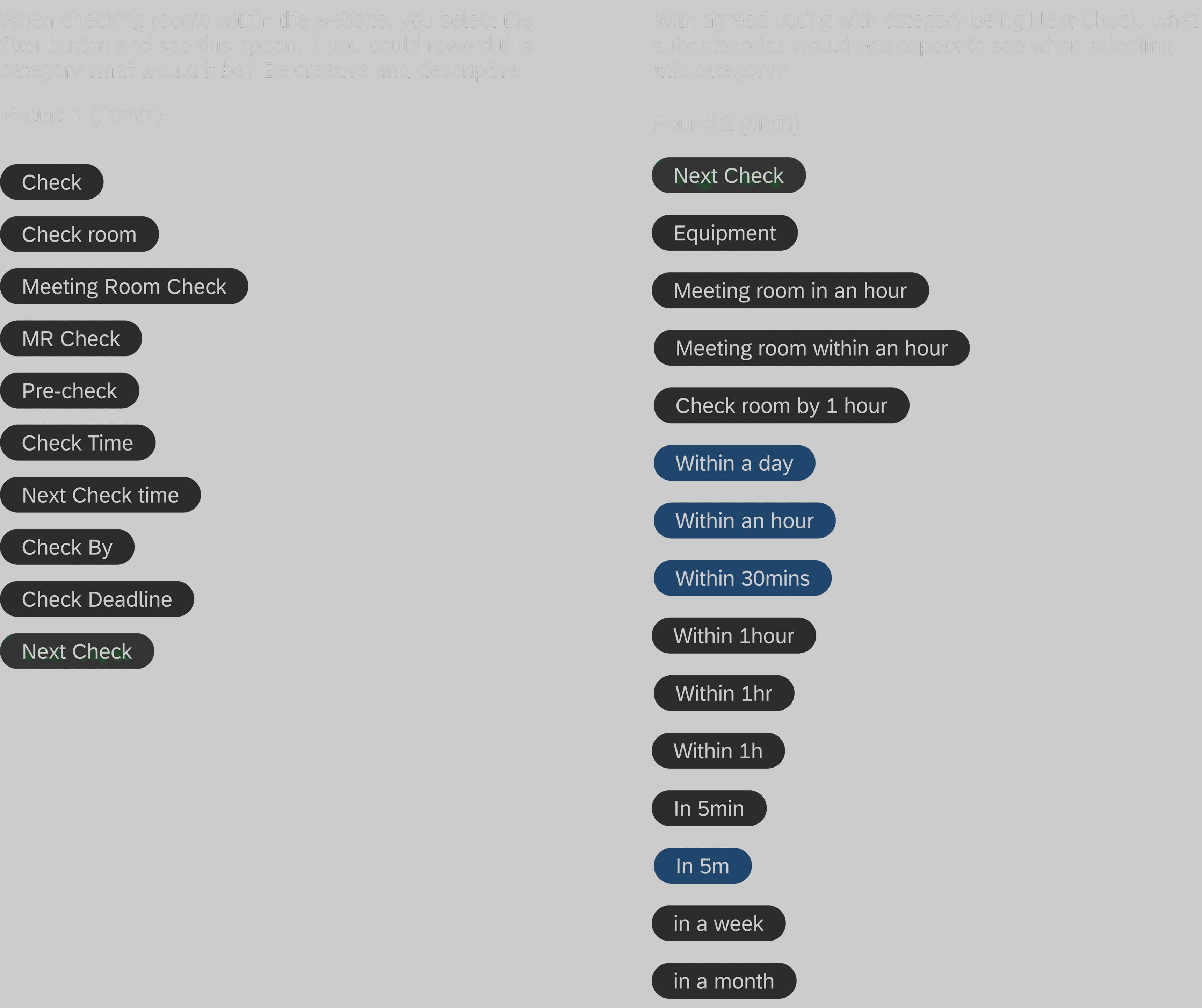
Users brainstormed keywords through a card sort exercise, then voted on the most fitting categories in a first card sort to reach near-unanimous agreement. A second card sort then explored subcategories within those agreed-upon categories. I wanted to make sure that users chose words that made sense to them.
Discovery
During card sorting exercises users really honed in and focused on the next check category and timestamps. They were participating a lot more once all users agreed on having the "Next Check" category. When we had asked about subcategories it was very clear that they wanted time stamp information of meeting rooms to be easily accessible.
Usability Testing
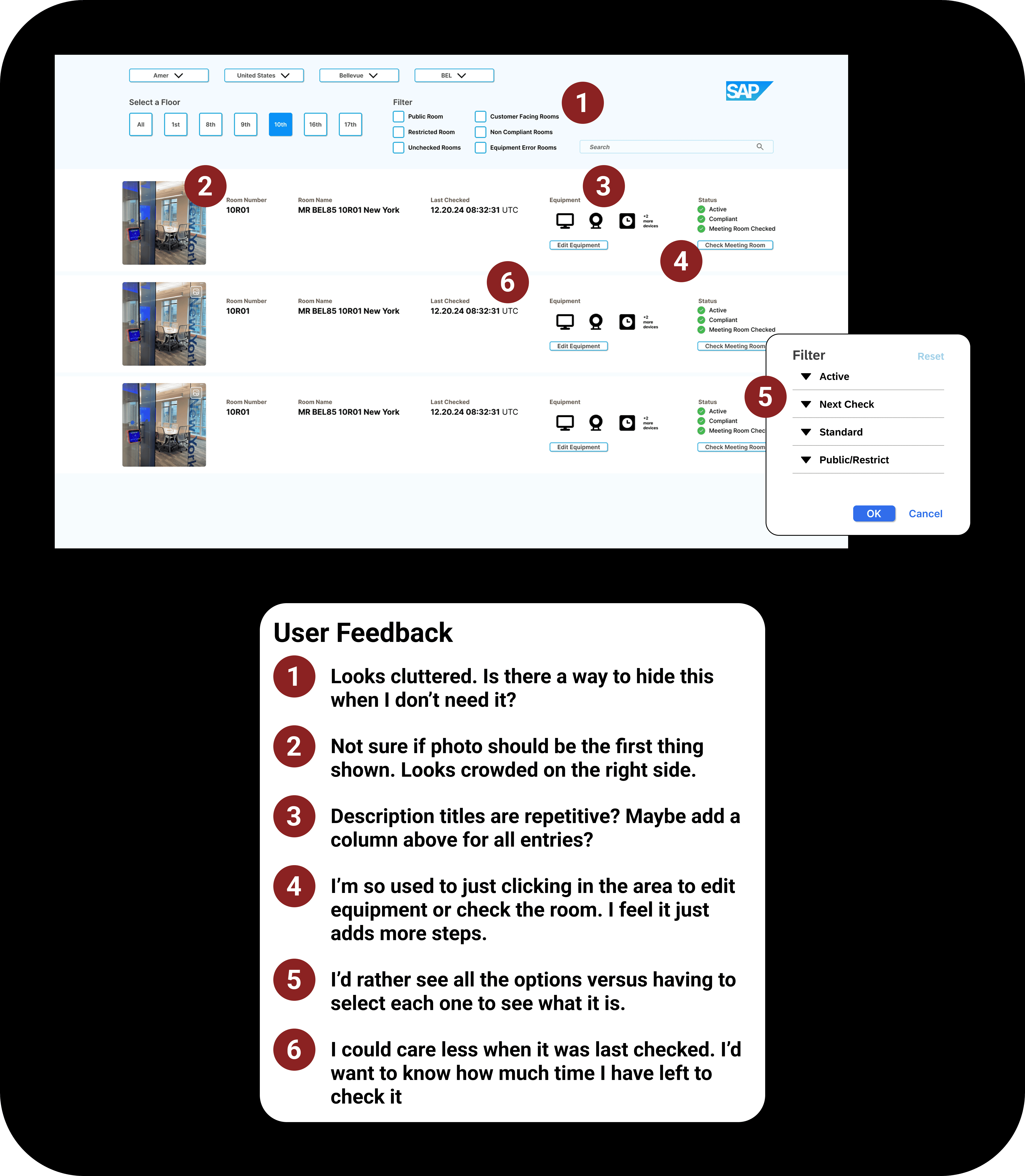
I created prototypes to test design solutions and get feedback from users. Based upon the information received I made iterations and tested with users again to get more feedback before finalizing design solution.
Discovery
If at first you don't succeed…
The usability test pointed out that there was too much change in the columns and although it was a step in the right direction the feedback was not positive. I went back and took the feedback into account. Users liked that it showed when it was last checked but the preferred to know how much time exactly they had to check the room to help prioritize others.
Familiarity
Create layout that they are used to
Users felt the layout was off in that it looked like the photo was higher importance.
Better Context
Next Check over Last Checked
Users preferred a Next Check column over Last Checked to enable proactive room monitoring before a breach occurs.
Reduce Friction
Show all options in filter
Users preferred seeing all filter options at once, as hiding options behind clicks adds unnecessary steps and slows down time-critical searches for technicians.
Final Deliverables
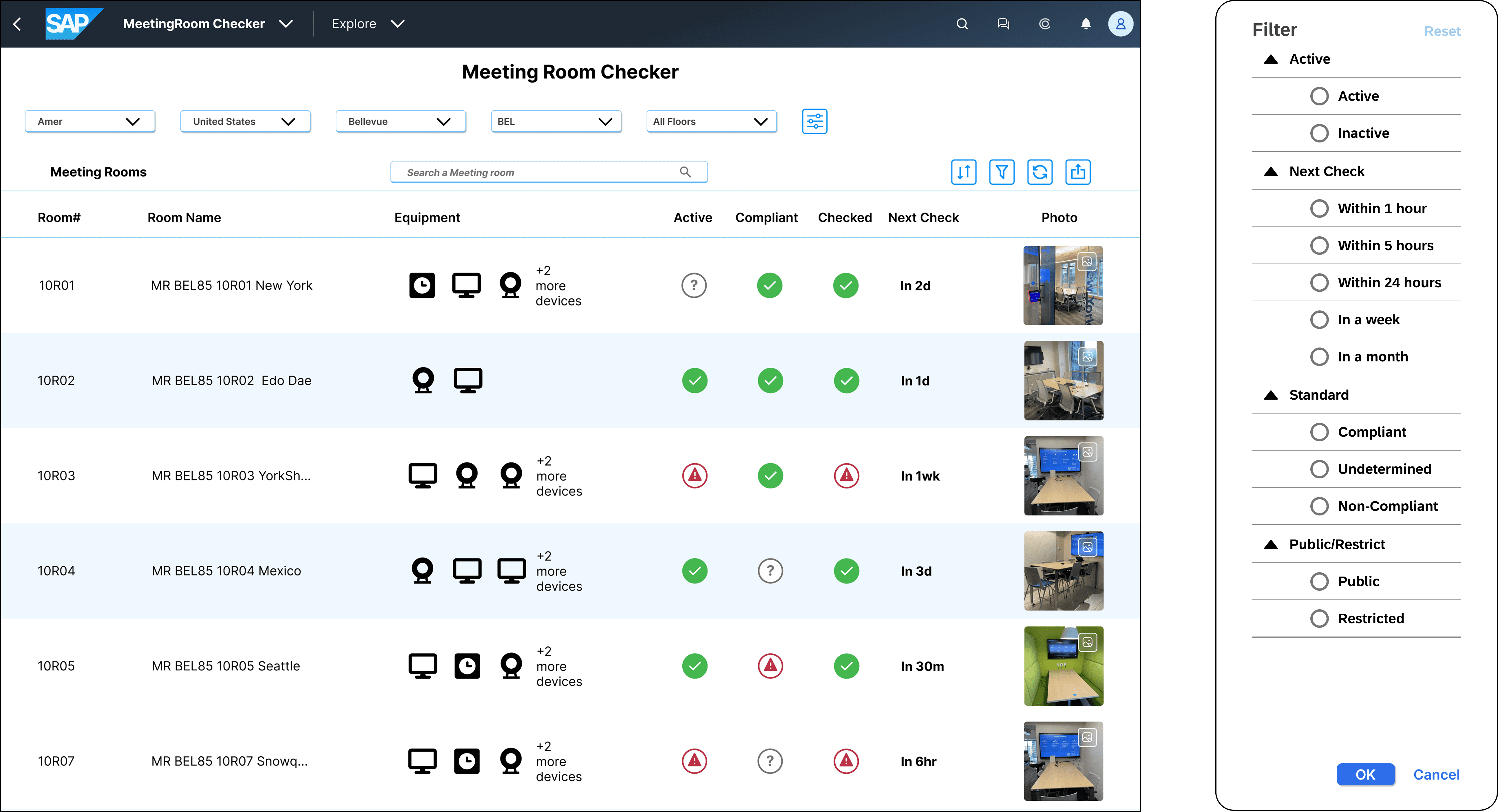
The research gathered with customers who used the app helped define three features that were incorporated into the final design.
Content clarity
Users are able to scan and find information faster.
Micro interactions
When users hover over rooms it highlights what they are looking at.
Readability
Users are able to select or hide advanced options to have more view space when viewing rooms.
Reflection
Communication is vital to any successful project. I learned that it is okay to take a step back look back at the research and if one starts to assume ask questions. It's okay to get clarity from not only stakeholders but with users that you are usability testing with.
Coming Soon
Shane's
Redesigning to modern standards